
Volanti for Clubs
Fixes
Prevent payments showing ‘unknown’
A number of payments were showing as ‘unknown’ status. This has been resolved and payments reconciled correctly.Payout reports with fees not linked to a charge
A payout report could fail to open when a payment’s fees weren’t linked to any charge. These reports open again.Volanti for Clubs
Improvements
Agreements and signatures UI improvement
The agreements and signatures UI widget shown on a user’s profile has been improved to make it clearer as to which agreements are signed, which ones are outstanding, and which signatures are for old versions of a document.Alphabetical package sorting on checkout UI
The list of available packages for a customer is now sorted alphabetically, making the correct packages easier to find.Fixes
Closing a prepayment account shows the right amount
The option to credit the unused amount when closing a prepayment account showed the amount in pence. It now shows it as money.Volanti for Clubs
Improvements
In-person payment completion via webhook
Following a series of situations where terminal payments were being ‘abandoned’ part way through, we now complete any payment attempts in the background.This means that when a customer taps their payment card on a terminal, regardless of whether the operator continues the checkout process, we’ll reconcile the payment and trigger the appropriate receipts without user intervention.Volanti for Clubs
Improvements
Checkout receipt email uses live data
The checkout receipt email has been improved to use live data based on the specific checkout session a user was part of.Previously we sent a checkout receipt for each payment, rather than the checkout session as a whole - this sometimes led to multiple emails, and customer confusion.Misc
Weekly security and maintenance.Volanti for Clubs
New
Logten flight export is available to everyone
The LogTen Pilot Logbook flight export tool is now generally available!Thanks to everyone who tested this functionality for us.Within the pilot and instructor portals you’ll now find the option to export single flights, or multiple flights, to LogTen.You must be logged into Volanti on the same device as LogTen is installed.Fixes
Prevent deleted agreements triggering signatures
Fixed an issue where deleted agreements were still triggering a signature request, even though there was nothing to sign.Volanti for Clubs
Fixes
Prevent time travelling with resource holds
We’ve added restrictions to prevent resource holds being defined as ending before they start, rendering some elements of the booking UI inoperable.Billing portal link
Some users were experiencing issues accessing the billing portal via admin. This is now resolved.Misc
Weekly security and maintenance.Volanti for Clubs
New
Move members onto a plan’s current price
The members table on a membership plan shows each member’s price, flags anyone not on the plan’s current price and shows who is cancelling. When you edit a plan, Update active memberships moves everyone onto the new price, and renewal emails say when a price has changed.Custom booking types
Take ownership of your bookings by defining custom booking types. You’re no longer bound by the default configuration, or booking rules of the platform, and instead free to craft and customise your account to meet your operational needs.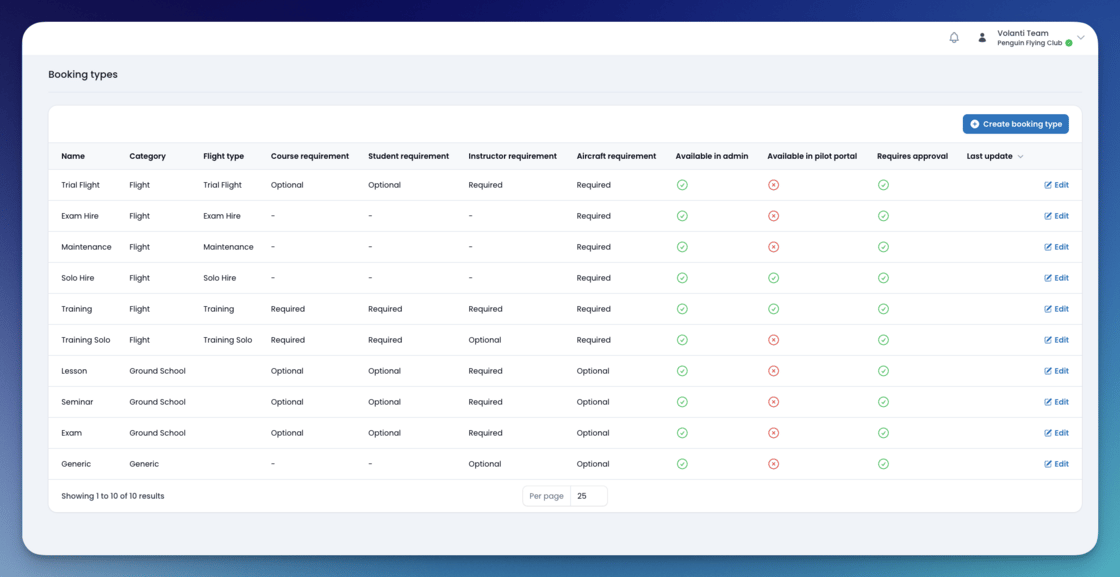
Improvements
Base of operations can be defined
Within the organisation settings, it’s now possible to define a ‘base of operations’. This will, in the future, be used as the default airfield for local and circuit flight sorties, as well as to better share details between airfields/organisations when planning flights.New sortie type: “Circuits”
As a way of improving flight tracking and information gathering, we’ve introduced a new sortie (“circuits”) to better distinguish between local flights and circuit sessions.P1/S and PUT recorded separately
Student flights can be logged as student pilot in command (P1/S) or pilot under training (PUT), rather than one combined student category.New service type: “Booking”
Added a new type of service (“Booking”) allowing for cancellation and no-show fees to be explicitly defined, without surfacing these fees/services on flight submissions (as they are not relevant when the flight has actually taken place).Packages can now be deleted
Packages can now be deleted when no longer required. To do so, visit the package view page and select ‘delete’ from the actions menu.Packages with active prepayment accounts can be deleted.Packages with unpaid charges cannot be deleted - please either settle or delete these charges.Volanti Terminal: Cancellation button
When the payment terminal is in ‘payment mode’ and displaying the payment amount and instructions, it’s now possible to cancel the payment from the terminal in case the payment is incorrect, has been declined, or needs to be restarted.Fixes
Fixed incorrect user column on user list
Fixed the naming + display of the customer column on the user’s list.Large numbers on dashboards are easier to read
Booking counts on the dashboard now use thousands separators.Active package counts
The active package counts has been fixed on the packages table to ensure no closed packages are included in the total count.Card reader payments are more reliable
Payment buttons in checkout now ignore extra clicks while a payment is processing, and a card reader payment can’t be cancelled after it has gone through. Checkout no longer shows a reader as busy when it isn’t, or stale details from an earlier payment, and payment methods are labelled more clearly.Misc
Weekly security and maintenance.Volanti for Clubs
New
ical feed for pilots
A few months ago we released an ical feed for instructors, allowing them to synchronise their personal calendars with their instructor bookings, giving them real-time access to booking details.As of today the ical feature has been enabled for all pilots with active portal accounts! 🥳You’ll see a setup link in your next booking reminder email. Alternatively, you’ll find a setup link from the pilot dashboard.Flight Exports to LogTen Pilot Logbook
We are thrilled to announce that we’ve released the ability for pilots and instructors to export any of their flight records to their LogTen Pilot Logbook accounts.When viewing a flight in the student or instructor portals, you’ll be presented with an ‘export flight’ option. Clicking this link will share* the data with LogTen.*LogTen Pilot Logbook must be installed on the device you click the link on. Flight sharing requires an active LogTen license.This feature is currently invitation only. General availability will rollout within the next few weeks.Improvements
Revised flight table UI
We’ve refreshed the flight table UI to better reflect the typical logbook layouts people are used to.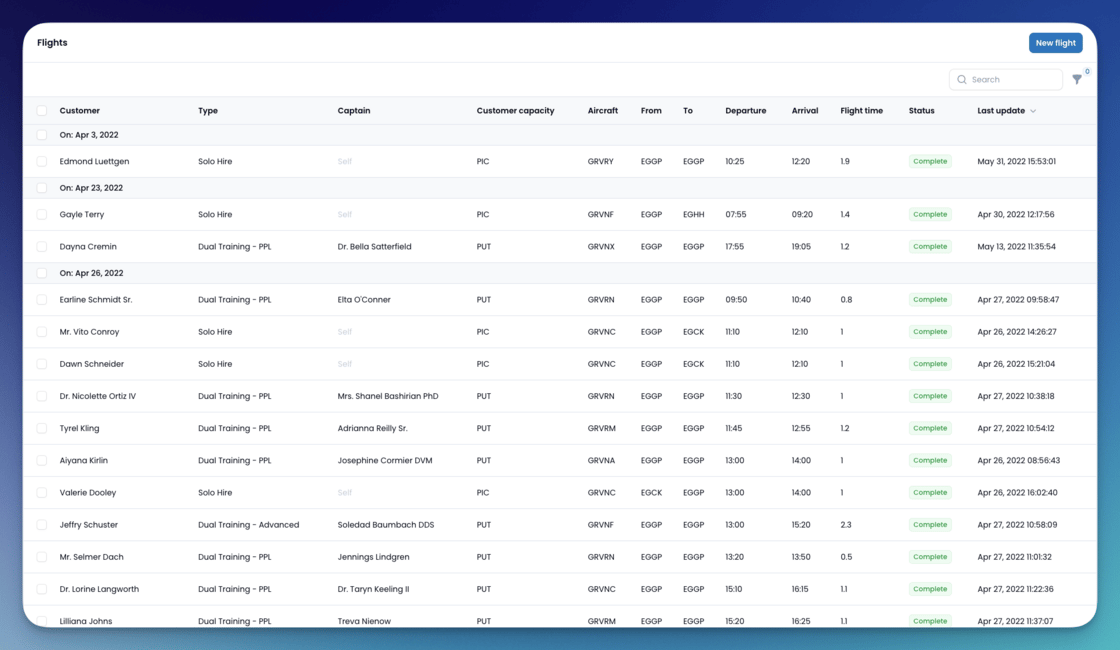
Volanti for Clubs
New
New agreement location: Checkout
We’ve released the ability to define agreements that are needed within a checkout. This means that existing users, as well as guest checkout users, can be required to accept explicit terms and conditions when making payment.The new location (“portal checkout”) is available in all accounts, now.In addition to the new location, we now track the specific context of the user (i.e. the checkout ID, or the booking ID) when an agreement is signed. This context forms part of the digital signature and can be used to evidence acceptance in a specific scenario.Misc
Weekly security and maintenance.Volanti for Clubs
New
Notes on bookings
Staff can add notes to a booking from its details. A booking now needs an aircraft, instructor or resource before it can be made, and the approval form asks for the details it needs.Improvements
Smoother booking search
Booking search shows a loading indicator while it finds availability, without flickering as you move between dates.Search courses by their parent course
Searching the courses list also matches the name of a course’s parent, and a parent course’s list of sub-courses shows their names on their own.Allow deletion of package items
Following feedback from clubs who have long-standing packages, we’ve now given administrative users the ability to remove items from package definitions.These modifications will not automatically apply to existing prepayment accounts that were created after selling a package.Fixes
Membership renewals not long enough
An issue was identified with membership renewals that have been extended by less than a year previously (typically because of packaged memberships).The impacted memberships were not renewed for a full period, instead only extending until the usual renewal date. This meant that some time on the memberships was lost.Impacted parties have been contacted and memberships updated as necessary.The issue has also been patched, ensuring renewals are for the period defined rather than anchoring on the incorrect date.Volanti for Clubs
Improvements
Booking calendar UI refresh
After collating feedback about the booking UI, the following improvements have been made:- All text made smaller
- Added zoom in/out controls allowing the width of cells to be changed to fit more on a single page
- Reduced the height of every cell to include more rows on the available display space
- Improve colour coding of instructor bookings by adding a background gradient
Misc
Weekly security and maintenance.Volanti for Clubs
New
ical feeds for instructors
Instructors can now configure a personal ical feed for their bookings, within the instructor portal.This ical feed can be added to their own calendars, to view the details of all bookings involving them.Not only is it used to view active and upcoming bookings, but historic, cancelled, and pending approval bookings can be surfaced in this feed too.Improvements
Flight history shows the crew
Instructors see who was on board in their flight list, and pilots see the pilot in command in their flight history.Fixes
Search for the next available booking again
The option to search from the next available date had stopped working in booking search. It works again.Re-enrol a student on a course
A student who was removed from a course can now be enrolled on it again.Volanti for Clubs
New
Booking reminder emails
Pilots get a reminder email the day before a confirmed booking made at least two days earlier, listing anything they still need to sort out before they fly. The admin bookings list shows whether the reminder has been sent.Instructor digest emails
Every night at 6pm local, instructors will now receive a digest email outlining their bookings for the following day.Improvements
Services can cost less than 50p
Service prices no longer have to be at least 50p, so small fees can be added as services.Email redesign
All outbound email templates have been standardised and redesigned.The goal for the new templates is to encourage customers to utilise self-service portals in future engagements.Fixes
Booking notifications open the booking
Notifications about a booking being confirmed, rejected or cancelled now show the booking’s date correctly and link to the booking.Misc
Weekly security and maintenance.Volanti for Clubs
New
A light logo for dark backgrounds
Upload a light version of your logo in general settings. Emails use it where your logo sits on a dark background.Fixes
Booking references stay the same when a booking is saved
Editing a booking could give it a new reference number. References are now set once and numbered in order.Misc
Weekly security and maintenance.Volanti for Clubs
Improvements
Filter the bookings calendar
Choose which aircraft and instructors the bookings calendar shows, so you can focus on the rows you need.Fixes
Fixes to booking dates, emails and overlaps
Staff can no longer pick a date or slot that has already passed when booking, and the aircraft group requirement on the booking form is applied correctly. Booking confirmation emails have the right subject, cancellation emails name the aircraft group, and bookings that span several slots or sit inside a hold no longer overlap.Volanti for Clubs
New
Bring a prepayment account in line with its package
After you change a package, the Sync button on a prepayment account applies the package’s current items and restrictions to it. Allowances already used stay used, and allowances that are higher on the package go up.Improvements
Manage a booking from the calendar
Clicking a booking on the calendar opens a control panel with the next step for it: approve, check in or complete, cancel, or change its aircraft and instructor. Booking details show when it was booked, and hovering a booking shows its aircraft and instructor names again.Fixes
Prepayment accounts table searches and shows packages again
Searching the prepayment accounts table failed, and the package name column was missing. Both work again.Volanti for Clubs
New
Hide booking prices in the pilot portal
A new booking settings page lets you choose whether pilots see prices and cost estimates when they book in the portal.Record a self-declared medical
A self-declared medical can be added to a member’s profile alongside their other medical certificates. Medicals that don’t expire can be saved without an expiry date.Split My Flight
Fixes
Declaration and signature forms work again
The pilot declaration, licence details and passenger agreement forms, including the signature pad, work properly again.Volanti for Clubs
New
Bookings
Bookings have arrived! A long awaited feature is now available for use across orgaisations.Custom schedules
Define booking schedules that operate at different points in the year. Seamlessly transition between them on the same calendar.Self-service wizard
Customers with access to your portal can utilise the self-service wizard for completing bookings. The portal guides customers through locating the next available dates, available aircraft and instructors, based on the configured restrictions (below).Booking restrictions
For each type of booking - solo hire, or training - we allow you to configure a range of restrictions to enforce at booking and check-in time.For example, you can restrict certain aircraft or booking types, to customers with specific licenses. Alternatively, you can restrict instructors, only allowing certain instructors to be booked by customers, based on the licenses they hold.Approvals process
For all bookings, approvals can be enabled, requiring staff approval of each and every booking. This gives you the last say in the bookings made by customers.Check-in, late tracking, and cancellation tracking
Track in statistics around when people arrive to check-in, how frequently people are late, and the common cancellation reasons.Generic resources
Define generic resources - such as briefing rooms or exam rooms - which can be added to bookings. Ensure there’s no double bookings for any of these.Instructor availability
Instructors have control of their own availability. They can login, add availability, and directly influence the booking calendar and self-service wizard.Multi-resource bookings
Need multiple aircraft, instructors, or students on a single booking? Not a problem - manage your resource assigned to every booking with ease.Volanti for Clubs
Improvements
Payout reports break down payments and fees
Payout reports now list each payment in the payout with the charges it paid and the fees taken from it, including card reader fees. They also show each payment’s external reference and net amounts.Fixes
Agreement signatures only expire when set to
Saving an agreement with automatic expiry turned off could still make its signatures expire. Signatures now only expire when the agreement is set to.Volanti for Clubs
New
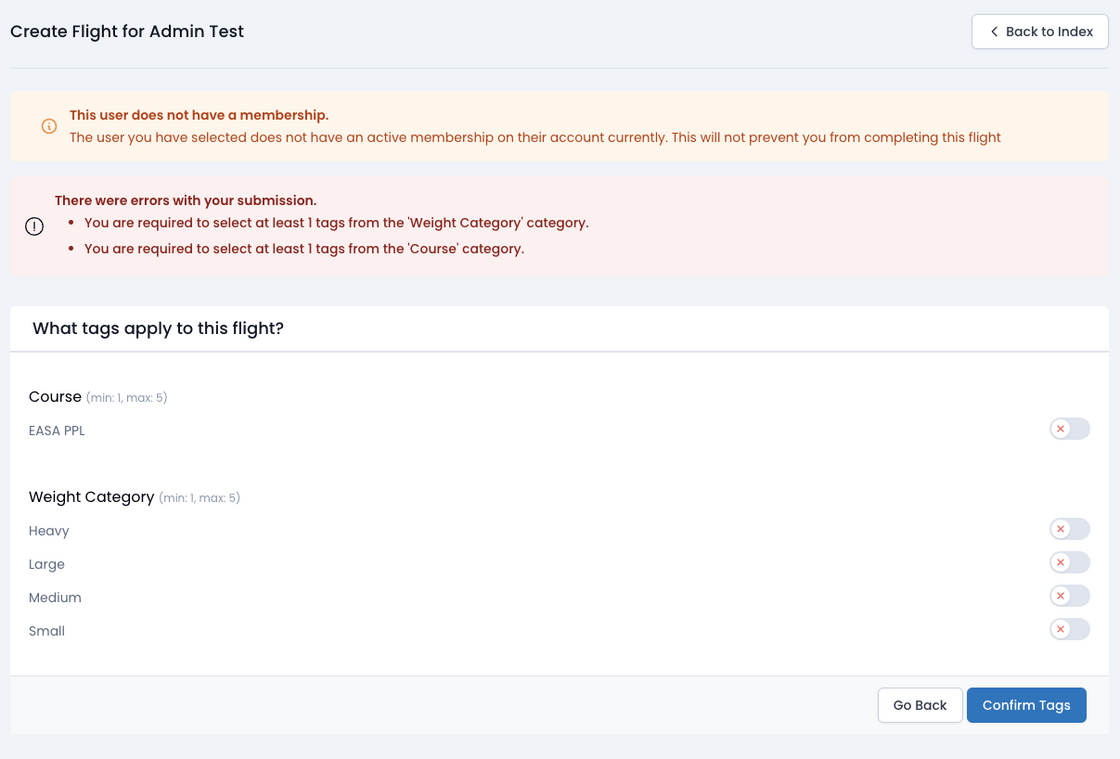
Tag Management
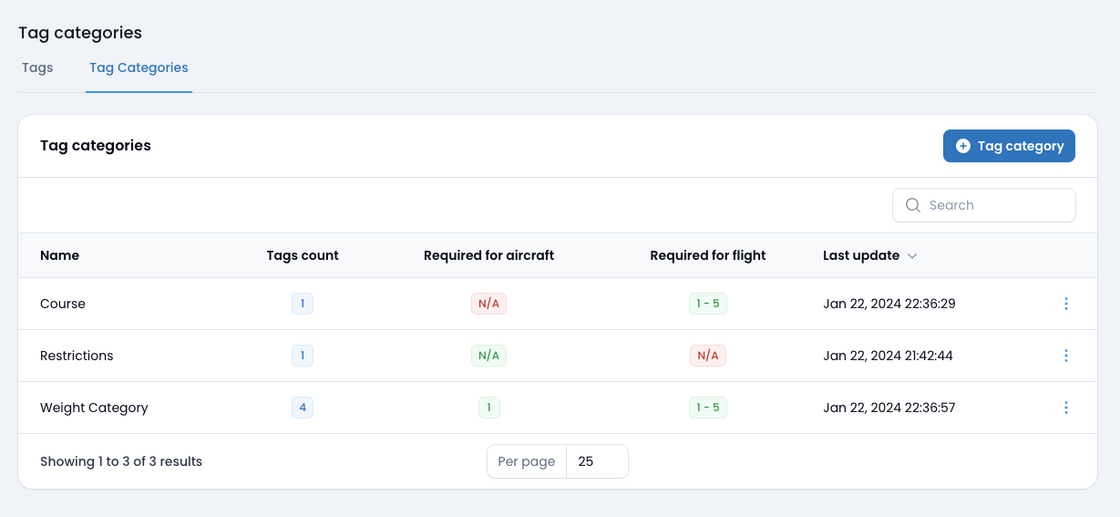
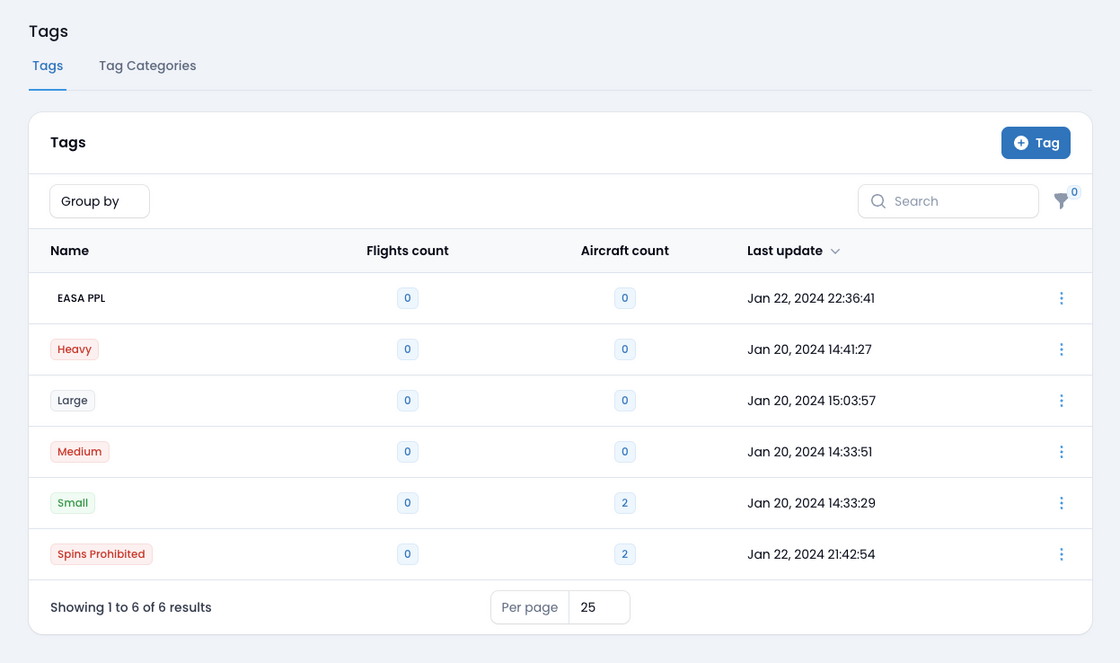
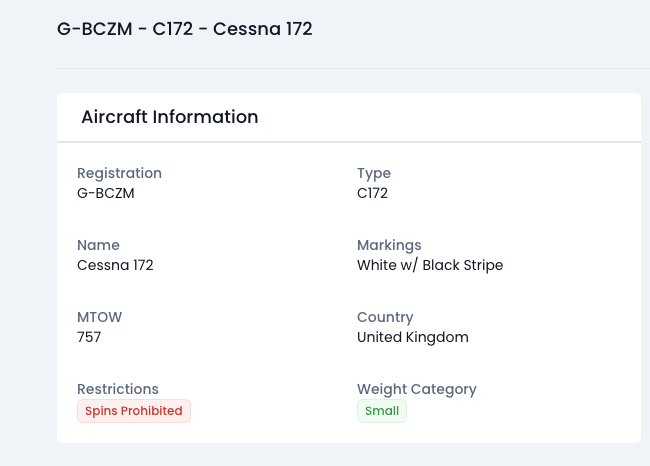
We’ve revamped the way tags are configured and applied to various entities across the platform.Tags and categories
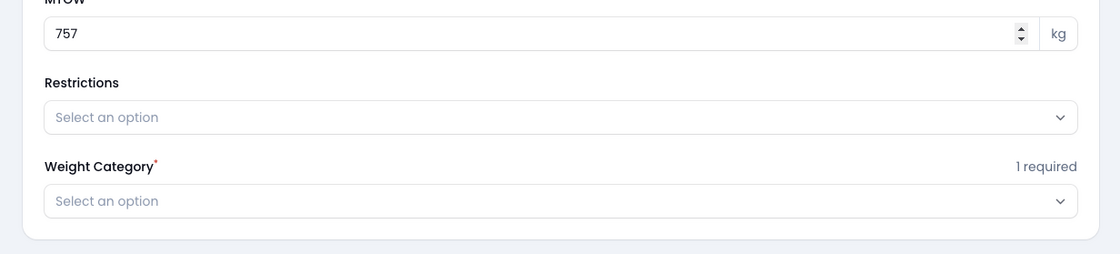
You can now group tags into categories (by default, we’ll migrate any existing tags into a category for you). Categories can be enabled for aircraft, flights, or both, along with minimum and maximum expectations defined. When creating an aircraft or flight, those minimum and maximums will be applied.